
Articles / For teachers and coaches
Feedback Students Can Actually Use
A comment only helps if the student knows what it asks them to change. Make it specific, check it, and see whether it worked.
We write a lot of comments. "Explain your evidence." "Add detail." "Be more specific." Most of us mean well. But a student can read a comment, nod, and still not know what to change. The comment was clear to the person who wrote it. That isn't the same as clear to the person who has to use it.
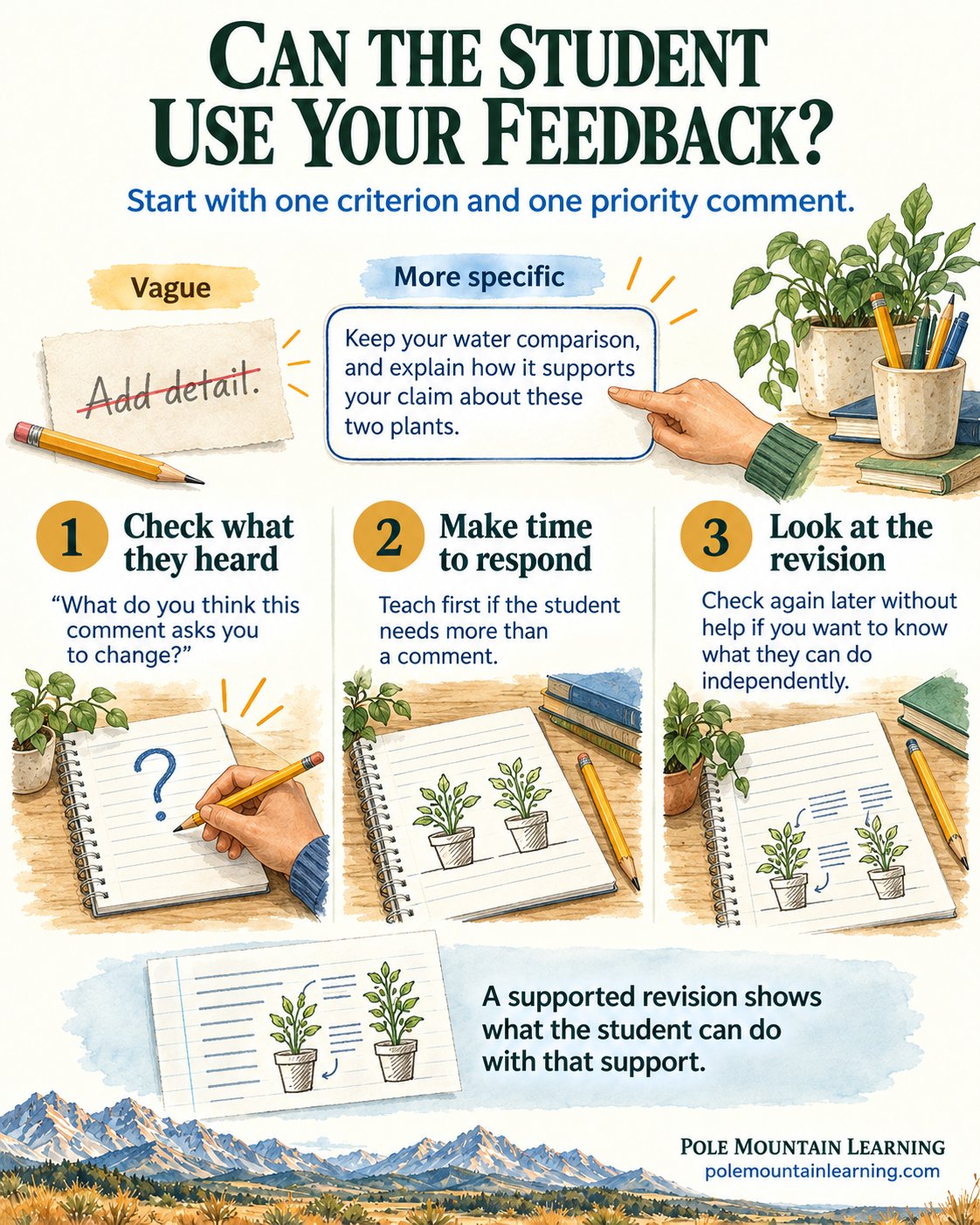
Make the criterion specific enough to check
Start before the comment. What part of the learning do you want the student to show? "Improve your explanation" leaves everyone guessing what would count. A better criterion names the pieces. In the Feedback to Students section of the Coaching Toolkit, the example is a science explanation. The student names the water and growth comparison, explains how it supports a cautious claim about two plants, and states a limit on the conclusion. You can look at a piece of work and see whether it's there.
Say what to keep and what to add
Read the work first. Find something worth keeping, then choose one change that matters for the criterion. "Explain your evidence" doesn't say which move is missing. Try "Keep your water comparison, and explain how it supports your claim about these two plants." That names what to preserve and what to add.
Start with one priority comment. Add another only when the student can explain and use the first. Sometimes a question works better than an instruction, like "How does the water comparison support your claim?" Other times a student needs to see a model, or to compare a list of evidence with a sentence that interprets it. Choose the kind that fits where the student is.
Ask what the comment asks them to change
This is the step most of us skip. Before the student revises, ask, "What do you think this comment asks you to change in this part of your work?" They can say it, show it, or use whatever response format they normally use. A nod or a confident voice doesn't tell you whether their answer matches what you meant. Their words do.
In the toolkit's fictional example, a student writes, "Plant A grew more. It had more water." The comment is "Explain your evidence." The student comes back with the numbers, 6 cm and 2 cm. That's a real change. But the explanation and the limit still aren't there. The comment was heard, and it wasn't yet understood. That tells you what to teach next.
Give time, and teach first when you need to
Agree on when the student will go back to the same work. A few minutes in the lesson may be enough for a small change. A new explanation may need a later work period. Match the time to the task.
If the student can explain what the comment asks and just missed a move, a comment can help. If they can't make sense of the data or connect evidence to a claim, another written comment won't. A short discussion, a demonstration or a smaller task will do more.
Look at the revision, then check again without help
A good revision is encouraging. But a revision made after a discussion, a model or extra help shows what the student can do with that support. It doesn't show what they can do alone. If that's your question, plan a later independent attempt.
If you coach teachers, you can look at this in a small way. Watch two or three exchanges and then look at the matching originals and revisions. Choose work against the criterion, not labels like strong or struggling. And remember a small sample describes the work you chose, not the whole class.
If you wanted to try this, pick one criterion and one comment this week. Ask the student what it asks them to change before they revise. See what you hear.
The Secondary Instructional Coaching Toolkit includes the Feedback to Students section, with a planning record, a student revision check and a worked science case. Free to use, with no sign-up.
Related: A Coaching Cycle for Classroom Management and Let Students Say Where They Are, Then Ask to See the Evidence.
For schools: If your school wants help with feedback and coaching, see Schools & Districts.