
Free algebra, geometry and data practice | Grades 9–10 | No online account
Terrain Park Functions
Make the prediction. Watch the ride.
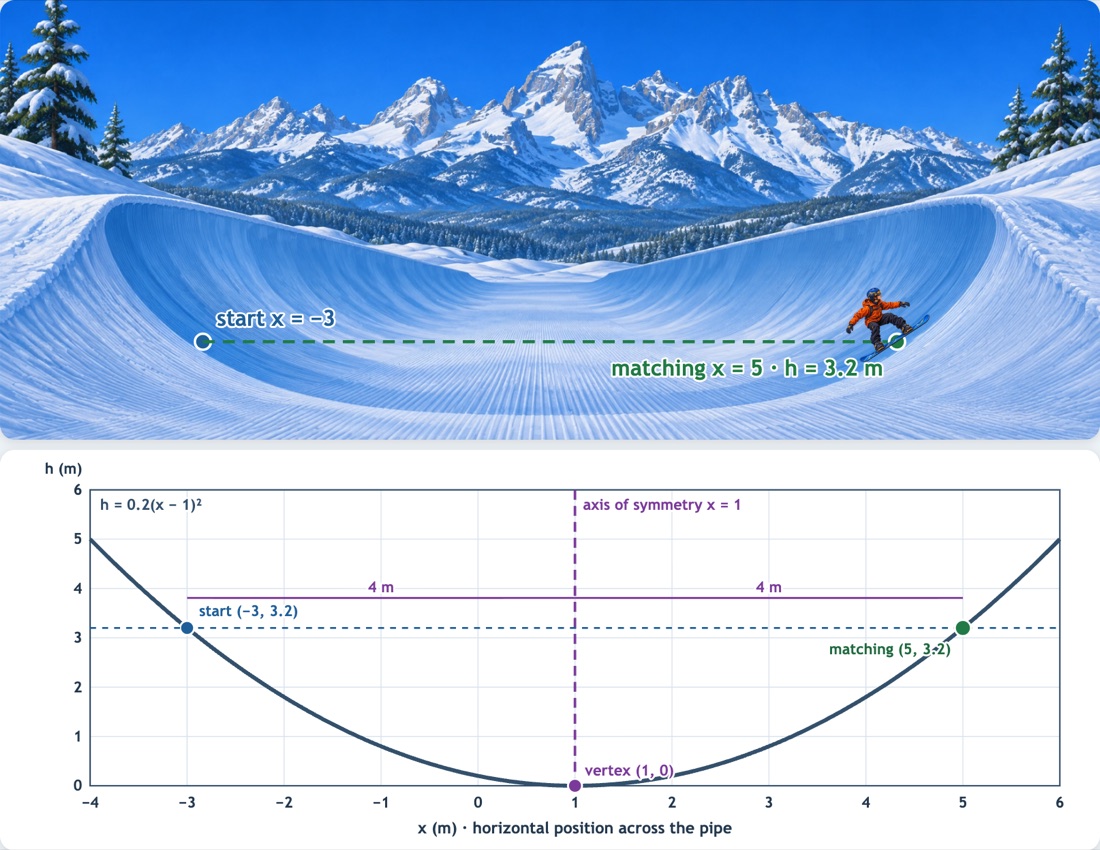
Students work through six stops in a painted Wyoming terrain park: the chairlift, a groomed run, a rail, the big jump, the halfpipe and a two-rider bonus. At each stop they make a prediction with mathematics, and the snowboarder rides what they entered. A wrong equation produces a visibly different ride, and a graph or diagram below the painting shows the numbers behind it.
Pole Mountain Learning: Simple to use. Designed for meaningful math practice.
Predict, ride, compare
Students type equations and numbers, choose equations, routes and models, and read tables, graphs, triangles and dot plots. After each answer the painting plays the ride and the math view marks the student's prediction next to what happened.
A first miss gives a clue and a second try at the same question. After the second try, students see how it works, then a fresh check with new numbers and one try. The animations follow the device's reduced-motion setting, and every graph has a text description.
Two grades, the same terrain park
Grade 9 works with algebra and functions: building a linear model from a table (F.LE.2), writing and solving a linear equation in one variable (A.CED.1, A.REI.3), writing the equation of a line through two points (A.CED.2), reading the zeros, maximum and symmetry of a quadratic (F.IF.7a) and solving a system of two linear equations (A.REI.6).
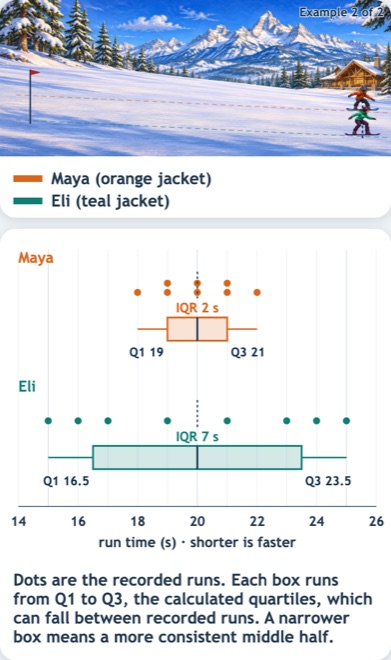
Grade 10 works with geometry and data: units and scale on a grid profile (N.Q.1), right-triangle trigonometry (G.SRT.8), parallel lines through a point (G.GPE.5), choosing a model that fits measured data (S.ID.6a) and comparing the spread of two data sets with the interquartile range (S.ID.2).
Results for the next conversation
The Results list under the game shows each stop with every part scored on its own line. First tries are listed apart from retries after a clue, and the fresh check is listed separately, so you can see what a student did independently.
Nothing is saved or sent. Results stay on the page only while it is open and clear when it is closed or reloaded. If you want a record, ask students to show you or take a screenshot of their Results before they close the game.
No devices? Print the rides
Two printable rides per grade, with the same questions as the online game: Ride 1 is the six stops, with a clue and one more try after a miss; Ride 2 is the fresh check with new numbers, one try and no clue. Copy the Student rides for students. Keep the Teacher guide and key for yourself: how to run a ride, the answers, the game's clues, worked answers, what common wrong answers usually mean and a class record sheet.
Free for classroom use. The paper rides use the same questions as the online game, so a student who played online may have seen them. Not an official Pearson, NAVVY or WY-TOPP assessment.
Help improve the free game
Teachers trying the game: tell us the grade, what helped, what confused learners and any question that needs another look. Please leave out student names and identifying information.